|
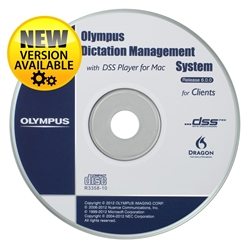
The Olympus DSS Player Pro Transcription Module
software (AS5002) can easily be integrated into the workflow of any
office system and significantly streamline data sharing and distribution
of dictations between professionals, departments, and office locations.
Special email and FTP functions enable dictation files to be
automatically routed to predetermined locations or addresses upon
downloading. Citrix and Terminal Service are fully supported. The new
features, such as Audio capture function and automatic software upgrade
via internet, in the new DSS Player Pro Release 5 improves the usability
of the software.
AUTOMATIC
ASSISTANCE.
Automatically receive dictation files and
send transcribed document files by email or FTP.
INSTANT
NOTIFICATION.
Receive a visual or audible announcement
every time a new dictation file arrives.
AUTOMATIC
TRANSCRIPTION ASSISTANCE.
Automatically starts your word processing
program when transcribing a dictation file.
EASY FILE
MANAGEMENT.
Manage DSS, WAV, WMA, and AIFF audio
files.
Features:
- Plays DSS, DSS Pro, WMA, MP3 and
WAV/AIFF audio formats in the background when another application is
running, such as a word processor.
- Enables foot switch control of the
playback process.
- Transcription can be done by combining
the playback sound with the adjustable playback speed, tone control,
and noise cancellation. (*)
- Receives dictation files and sends
created document files by email or FTP.(**)
- Expand FTP support to include Passive
mode and SSL.(**)
- Sorts received dictation files by
sender, and automatically sends created document files.(**)
- Manages created document files in
association with dictation files.(**)
- Voice recognition of dictation files
is possible with the Dragon Naturally Speaking 8.0 and later.(**)
- Supports Citrix and Terminal
Service.(**)
- Search filter to the List View pane
columns.(**)
- Audio capture function for the line-in
recording.(**)
- Automatic software update through
Internet.(**)
- Background dictation notification
support.(**)
- Two modes/views of operation for
Transcribe bar.(**)
- Transcribing time left indicator instead of
time commenced.(**)
(*) It is not possible to playback while
setting the playback speed and noise cancellation simultaneously with
the Macintosh version.
(**) Windows only.
Olympus AS 5002 Product code
|
 Award One Technology
Pty Ltd