| Implementation
and Installation |
| Dual
Purpose Implementation |
| � |
Use as a
'Standalone' discrete Media Converter device or |
| � |
Install as
a Media Converter Module in to any DCR12 Series Media Convert
Chassis |
| Installation
in to DCR12 Chassis |
| � |
Converters
installed in slots 1 to 12 of any DCR12 Series Media Converter
Chassis |
| � |
Any mix of
FCR200 Series Converters can be used as Converter Modules plus |
| � |
GCR2000,
ECR10, ACR and SCR Converters can also be used as Converter
Modules in DCR12 Chassis |
| � |
All
Converter Series types are 'slide-in, Hot Swap' field/user
upgradable devices |
| Converter
Module Speed/Interfaces/Protocol Support/Wavelength/Max. Range |
| � |
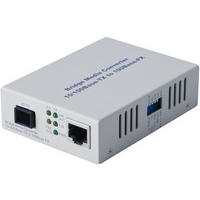
FCR2000MT:
100Mbps; 100Base-TX RJ-45 (100m) to 100Base-FX with MT-RJ
connector, 2Km range |
| Performance |
| Data
Transfer Rate |
| � |
100Mbps:
148,800pps |
| � |
10Mbps:
14,880pps |
| Buffer
Memory |
| � |
128K |
| Packet
Size |
| � |
Supports
packet length up to 1536 bytes |
| Network
Interfaces |
| 100Base-TX
Ports |
| � |
Auto-Negotiation |
| � |
Auto-MDIX |
| � |
Transmission:
Full or Half-Duplex |
| � |
Flow
Control: 802.3x Flow Control (Full-Duplex mode), Backpressure for
Half-Duplex |
| 100Base-FX
(Multimode) |
| � |
Auto-Negotiation |
| � |
Transmission:
Full or Half-Duplex |
| � |
Flow
Control: 802.3x Flow Control (Full-Duplex mode), Backpressure for
Half-Duplex |
| � |
Wavelength:
1300nm |
| 100Base-FX
(Singlemode) |
| � |
Auto-Negotiation |
| � |
Transmission:
Full or Half-Duplex |
| � |
Flow
Control: 802.3x Flow Control (Full-Duplex mode), Backpressure for
Half-Duplex |
| � |
Wavelength:
1300nm and 1550nm singlemode; singlemode WDM multiplexed
1310/1550nm (model dependent) |
| Cable
Types Supported |
| � |
UTP or STP
copper: CAT5 or higher |
| � |
Multimode
fibre: 62.5/125�m, 50/125�m recommended (other grades may be
used) |
| � |
Singlemode/WDM
fibre: 9/125mm recommended (other grades may be used) |
| Link
Fault Passthrough (LFP) Functions |
| � |
LFP Forced
and Far End Fault modes supported |
| � |
Default
configuration - ON |
| � |
DIP switch
for LFP ENABLE/DISBALE manual selection |
| Mechanical |
| � |
Case:
compact all-metal enclosure |
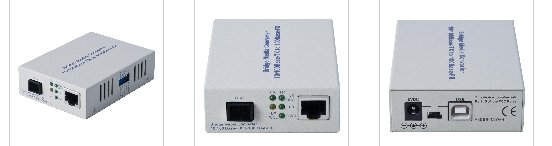
| LED
Indicators |
| � |
Power -
Green; when lit +5V power is coming up |
| � |
TX
Link/Act - Green; when lit TP connection good, blinks when traffic
present |
| � |
TP 100 -
Green; when lit speed = 100Mbps, when Off speed = 10Mbps |
| � |
FX
Link/Act - Green; when lit TP & Fibre connection good, blinks
when Fibre traffic present |
| � |
FX FDX/COL
- Amber; when lit full duplex mode, Off half duplex, blinks with
traffic collision |
| DIP
Switch Configuration |
| � |
DIP 1: Set
TP port sensing mode to Auto (default) or Forced |
| � |
DIP 2: Set
TP port speed, 100Mbps or 10Mbps when TP at Forced |
| � |
DIP 3: Set
TP port duplex mode, FDX or HDX when TP at Forced |
| � |
DIP 4: Set
LFP status, LFP enabled (default) or disabled |
| � |
DIP 5: Set
Fibre port duplex mode, 100 FDX (default) or 100 HDX |
| Environmental |
| � |
Power
Requirement : 1A@+5VDC (from Plugpack) |
| � |
USB Power:
0.5A@+5VDC from USB port |
| � |
Ambient
Temperature : 0� to 50�C |
| � |
Humidity :
5% to 90% |
| � |
Dimensions
: 26.2(H) x 94(L) x 70.3(W) mm |
| Emission
and Safety Regulations |
| � |
Complies
with FCC Part 15 Class A, CE Mark Approval, C-Tick |
| Standards
Compliance |
| � |
IEEE
802.3u 100Base-TX specification |
| � |
IEEE 802.3
10Base-T specification |
| � |
IEEE
100Base-FX specification |
| � |
IEEE
802.3x full-duplex flow control specification |
 Award One Technology
Pty Ltd